All-in-One Webinar Platform — Packed With Powerful Features
Everything you need to create, automate, and grow your webinars — from registration to replay. WebinarPress gives you full control to engage your audience and boost conversions effortlessly.
All in one Webinar
Plugin for WordPress
Host live and automated webinars directly on your WordPress site—no third-party services required. Stay focused on growing your audience.
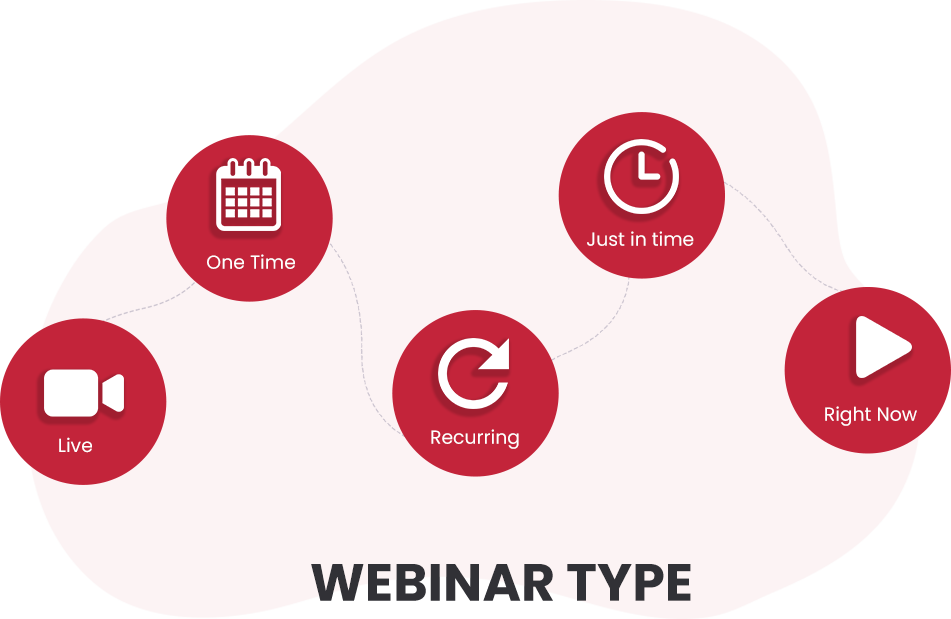
Create and launch your first webinar in minutes—no coding, no third-party tools, no hassle – just give your webinar a title, choose the type (live, automated, recurring), configure the session time, and you’re ready to go.
It’s that easy to create your webinar!
Add registration forms to Existing Pages
Already have a website? Add high-converting webinar registration forms in minutes—no extra landing pages needed.
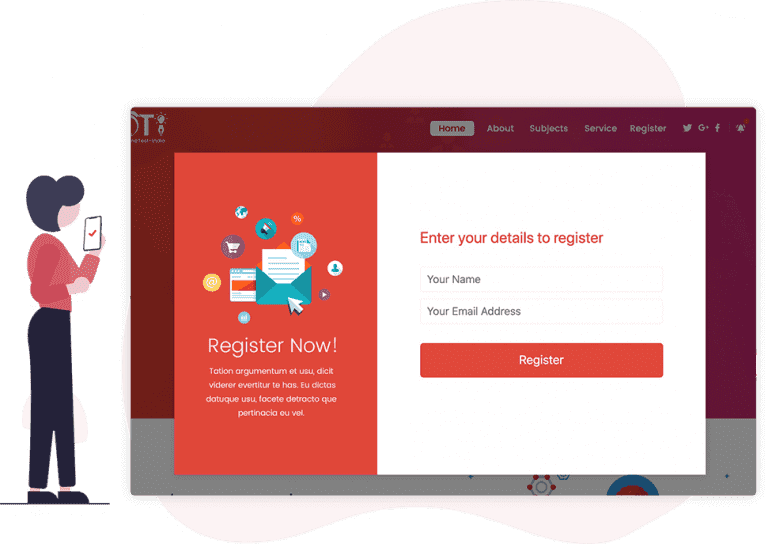
With registration widgets you can create highly converting registration forms using our real-time editor and embed them on any page you like, either on your site or on any other site using the generated embedding code.
Works on all devices
You never stop and neither does your audience so your webinars need to work seamlessly from any location and on any device including desktops, tablets and smartphones.
WebinarPress automatically detects your attendee’s device and adjusts the layout for the best possible viewing experience.
Host live webinars
Host live, real-time webinars with our supported platforms, including YouTube Live, Vimeo, Zoom, and Jitis, or any service that supports HLS streaming or embedding.
Evergreen content and sales funnels with automated webinars
Do you want to create an automatic sales funnel using pre-recorded webinars that run every day, or twice a day, or even every hour?
No problem! With WebinarPress, you can create automated recurring webinars that run 100% hands free, without you having to be at your computer.
Just configure how frequently it runs, and you’re set! WebinarPress handles everything for you from registration, notification reminders, webinar start/stop, and automated replays!
Live chat and attendee questions
Enable real-time chat so attendees can ask questions, respond instantly, and stay engaged throughout your webinar.
Attendees will be able to say hello, answer questions, report any issues and interact with each other.
With our dedicated question and answer section attendees can ask questions and team-members can answer those questions without them getting lost in the general chat.
For automated webinars questions can be automatically emailed to any email address to be answered later.
Send Certificate of Attendance
Elevate your webinar experience and provide tangible value to your attendees with Certificate of Attendance.
Show appreciation for your attendees’ time and effort with professionally designed certificates. You can customize certificates to match your brand, impressing your audience with a polished touch. Also, attendees can download their certificates from anywhere in the world, expanding your webinar’s reach. View Documentation
Look and feel & page customization
Create highly converting webinar registration pages that fit with your band and style using our easy to use real-time editor.
If that’s not enough control we’ve got you covered! You can create 100% custom registration and confirmation pages using your favourite page builder!
Email notifications
Make sure your attendees don’t miss out by sending them fully customizable automatic email reminders before the webinar starts, after the webinar invite them to watch the relay.
All these notifications are handled automatically by WebinarPress.
Collect more info with custom registration fields
Need to collect extra information from your attendees like phone number, company or position?
Add additional fields to the registration form and the information will be automatically stored with the attendees name and email address. Your extra fields can be either optional or required.
Attendee Polls
Learn more about your audience while engaging with your attendees by launching attendee polls in your live and automated webinars.
Your polls can have multiple questions and each question can be either single or multi-choice.
When you’re ready to make your offer you want your attendees to be able to take action right away and not wait for a follow up that might never get read.
With call to action prompts you can create simple and eye-catching action buttons and offers so your audience can take action right away without leaving the webinar.
Finally you add scarcity by making your offers time limited so they are automatically hidden when the time runs out.
Sync with email providers
After your webinar has finished you’ll want to stay in touch with your audience by sending them regular updates and inviting them to your upcoming sessions or moving them to the next stage of your sales funnel.
WebinarPress integrates directly with the web’s most popular mailing list services so all attendees are synchronized automatically!
Free or Paid
A lot of webinars are better being offered free but if you’re a photography teacher, therapist or provide consulting services you’ll want to charge a fee for your sessions.
In that case you can use our WooCommerce integration charge for your webinars using any of the hundreds of supported payment gateways including credit cards, PayPal, BrainTree, Amazon Pay and Square.
Limit available places
Sometimes you need to limit the number of attendees that can register for a webinar. Maybe your hosting live streaming a yoga class where you need to be able to see everyone in the class clearly.
Create scarcity by limiting the number of places available and showing the number of remaining available places.
With a single option you can choose how many attendees can register and show the number of remaining places on your registration forms.
GDPR Compliant
If you’re in Europe you’ll know how much of a headache dealing with GDPR can be which is why WebinarPress comes with GDPR support right out of the box by requiring users to agree to terms and conditions before they register.
You have full control over the checkbox text and link address.
Finally, you can add a double-opt in that requires your attendees to click on a confirmation link that’s sent to their email address before any of their information is stored on your server.
Webhooks and internal API
Need to integrate your webinars with a custom service like Zapier or a plugin that doesn’t have an existing integration?
No problem! With our Webhook integration you can trigger events when attendees register or create full ad-hoc integrations to WebinarPress using our internal API and WordPress actions.
WordPress is all about customization and expansion letting you create the site that’s 100% yours and that ethos has been built into WebinarPress from the very beginning!
AI-Powered Webinar Title & Description Generator
Creating the perfect webinar title and description can take time. With built-in AI assistance, WebinarPress helps you instantly generate a compelling title and detailed description based on your webinar topic or keywords.
Simply enter a short prompt or idea, and the AI will generate engaging marketing copy that clearly communicates the value of your webinar.
Whether you’re hosting marketing webinars, training sessions, or live events, the AI generator helps you launch webinars faster with professional-quality content designed to capture attention and increase registrations.
Fast, helpful support
We know that even with the right tools, setting up your first webinar can be a daunting and stressful prospect
That’s why our knowledgeable support team is standing by to answer any questions you may have along the way.
Most Popular WordPress Webinar Plugin
Start Hosting Professional
Webinars on Your WordPress Site Today
Transform your WordPress website into a powerful webinar platform. Create, host, and monetize webinars without any third-party services or technical hassles.